Plan models how your workload would run on each GPU and cloud instance you're considering, using your model, your latency target and the settings Optimize would use. You get throughput, latency and cost for each option, so the hardware decision is based on numbers.
You describe the workload once: the model, prompt and output lengths, arrival rate, expected growth and latency target. Plan simulates the serving engine on each GPU and cloud instance and shows throughput, tail latency, power and cost in one table.
Options that miss the latency target are flagged.
Costs are shown per million tokens as well as per GPU-hour.
Buying, reserving and renting are compared, including when buying pays off.
All optionsMeets SLOWithin budgetGPU, cloud, region…
Option
GPUs
tok/s/GPU
TTFT p99
$/month
$/1M
Verdict
H100 · on-demand
16
3,060
355 ms
$58,400
$0.39
Over budget
L40S · reserved
40
1,180
520 ms
$41,800
$0.61
Misses SLO
MI300X · reserved
10
4,410
330 ms
$39,900
$0.27
Meets SLO
B200 · buy, 3 yr
8
6,900
240 ms
$44,100
$0.27
Meets SLO
H200 · reserved
12
4,980
310 ms
$36,200
$0.24
Recommended
Peak requests per second · forecast24 months
Live demo
A simplified Plan
The same first-order model Plan starts from: decode limited by memory bandwidth, prefill by compute, tensor-parallel traffic over the real link. Plan itself runs a full simulation of the traffic.
Features
What's included
Detailed hardware catalogue
Covers H100 to B200, MI300X, L40S, consumer cards and edge modules, including the details that affect results, such as NVLink, memory size, FP8 and FP4 support and interconnect bandwidth.
Traffic growth
Add seasonality, launches and growth, and Plan shows when you would run out of capacity.
Checked against real runs
Forecasts are compared with Optimize runs on real hardware, and the error is included in the report.
Works with
NVIDIA H100, H200, B200, GB200, L40S, L4 · AMD MI300X, MI325X · AWS, Google Cloud, Azure, CoreWeave, Lambda and on-prem price books · vLLM, SGLang and TensorRT-LLM performance models.
No. It simulates the serving engine, scheduler and KV cache against your traffic, using performance models calibrated on measured runs. You can export the results to a spreadsheet.
Does it account for optimisation?
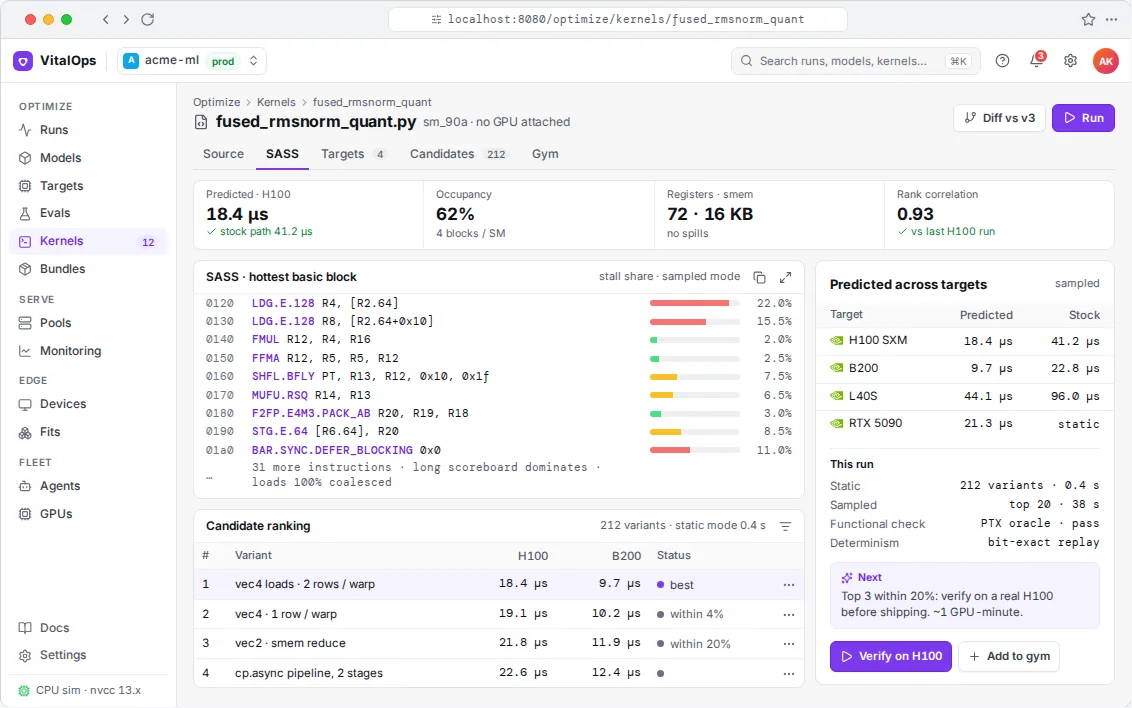
Yes. Each option is simulated with the settings Optimize would use on that hardware, so you aren't sizing for an untuned setup.
Can it plan for edge devices?
Yes. Edge uses the same performance models, with memory, bandwidth and power per device, to find the largest model that meets your accuracy threshold.
Get started
Tell us what you need the model to do
Send us the model, the hardware and your target, whether that's tokens per second, latency, memory or cost. In a 30-minute call we'll tell you whether we think it's doable and roughly what it would take.