You give Optimize a model, a target GPU, a latency target and an eval set. It tries changes to the serving engine, quantisation, parallelism, scheduling, speculative decoding and kernels, and only keeps the ones that stay above your accuracy threshold.
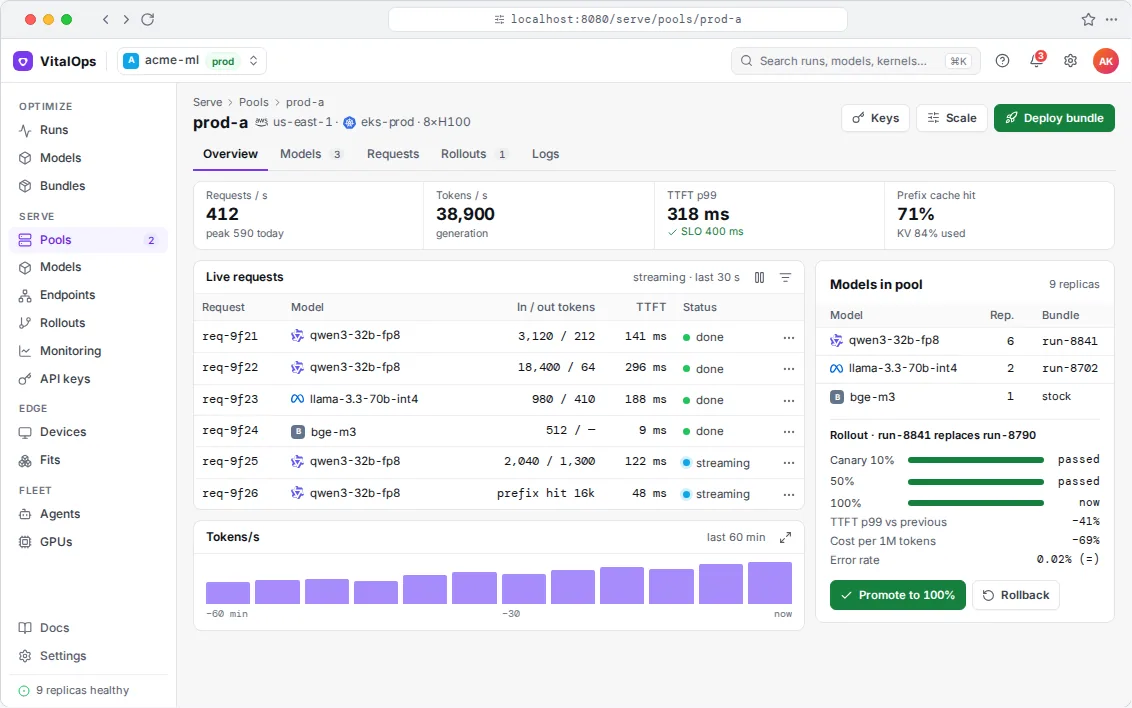
The runs list shows each model and GPU with its best verified result, the speed-up over the baseline and whether it stayed above the accuracy threshold. You can send a result to Serve from here.
One run and a report instead of weeks of manual tuning.
Each speed-up is reported with its accuracy score.
Results are saved as bundles anyone on the team can rerun.
Each candidate is a specific change, such as fp8 weights and KV cache, chunked prefill, an EAGLE-3 draft model trained on your traffic, or a fused kernel. Each one is benchmarked on the target GPU and evaluated over several seeds. Anything below the accuracy threshold is rejected.
In this run, INT4 was tried and rejected by the eval.
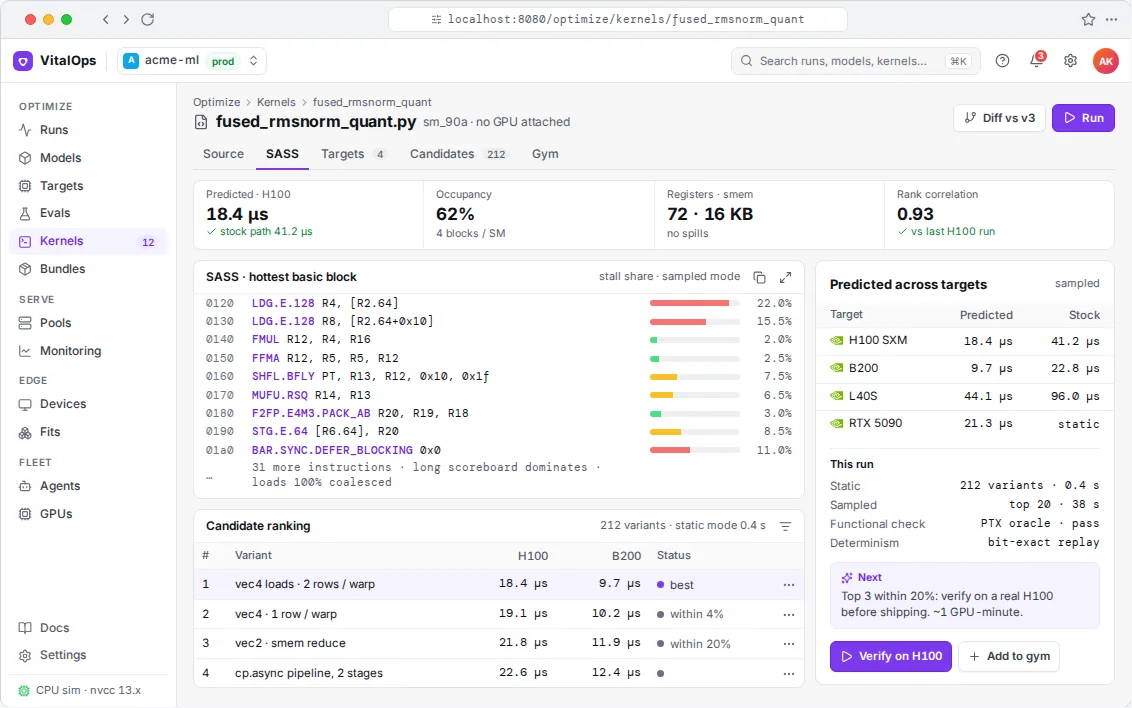
Custom kernels are checked numerically and at the SASS level.
Accuracy · support-qa-v384.1%floor 83.5 · base 84.3
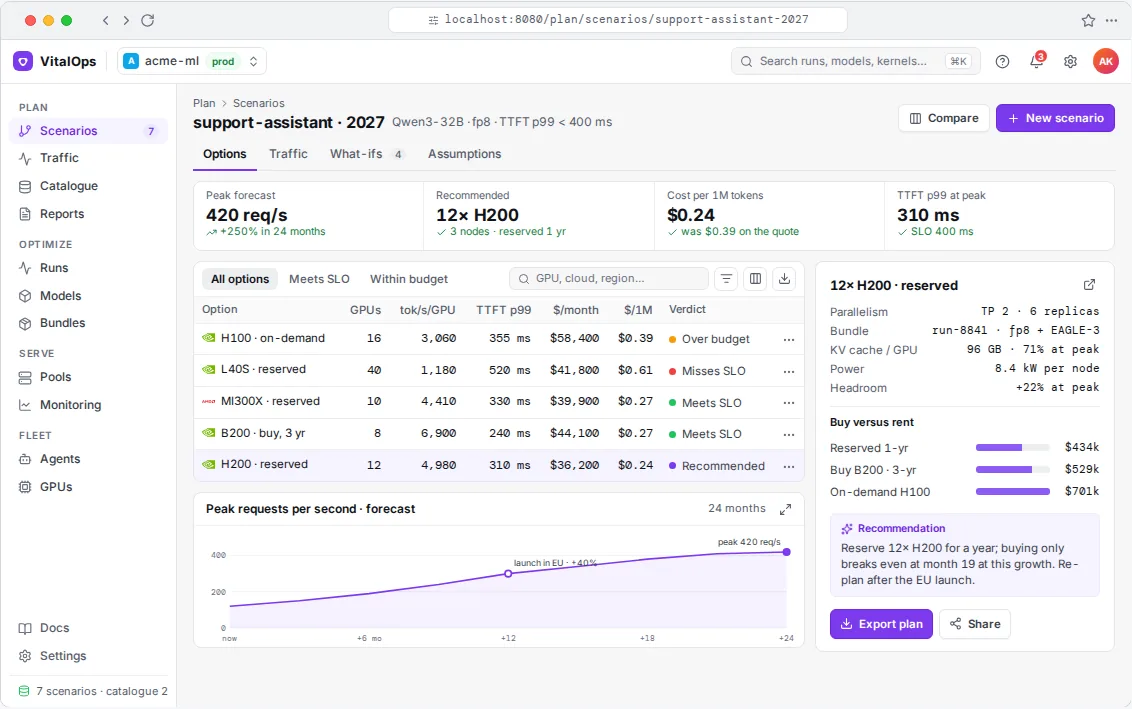
Cost per 1M tokens$0.31was $1.02
Tokens/s during the search2 h 14 m · 2×H100
Candidates14 tried · 6 kept · 1 rejected by eval
#
Change
tok/s
TTFT p99
Acc
Result
1
baseline · vLLM 0.11 · bf16 · TP2
1,840
612 ms
84.3
reference
3
fp8 W8A8 weights + fp8 KV cache
3,120
410 ms
84.1
kept
5
int4 AWQ (g128)
3,900
352 ms
82.9
below floor
8
chunked prefill 2k + prefix cache
3,780
288 ms
84.1
kept
11
EAGLE-3 draft (k=3), trained on your traffic
5,460
291 ms
84.1
kept
14
fused rmsnorm+quant kernel · SASS-verified
6,120
275 ms
84.1
best
Live demo
Quantisation, up close
This applies real FP8, INT8, INT4 and NVFP4 rounding to a synthetic layer with outlier channels. Optimize does the same with your weights and then checks the result on your eval set.
Features
What's included
Covers the whole stack
Engine choice and settings, weight and KV-cache quantisation, tensor and pipeline parallelism, batching and prefill settings, speculative decoding, CUDA graphs, torch.compile and custom kernels.
Your evals decide
Use lm-eval tasks or your own test set and set a minimum score. Accuracy is reported next to every throughput number, and nothing below the minimum ships.
Reproducible results
The winning settings, kernels and draft model are packaged with the exact engine version, so Serve runs what was benchmarked.
Works with
vLLM, SGLang, TensorRT-LLM, llama.cpp, Hugging Face Transformers · lm-eval or your own evals · targets: tokens/s, TTFT, TPOT, p99, memory, cost per million tokens.
Open-weight models and your own fine-tunes, including Llama, Qwen, DeepSeek, Mistral, Gemma, GLM, Whisper, vision-language models, and embedding and reranker models.
How do you know the faster model is still correct?
You set a minimum score on your eval set. Every candidate is tested against it over several seeds and rejected if it falls short. Custom kernels are compared numerically with the reference and inspected at the SASS level.
Do our weights leave our environment?
No. Optimize runs in your cloud account or data centre, and evals run where your data already is.
Get started
Tell us what you need the model to do
Send us the model, the hardware and your target, whether that's tokens per second, latency, memory or cost. In a 30-minute call we'll tell you whether we think it's doable and roughly what it would take.